N27 Network Lab
A browser-based network lab. Draw a topology, cable ports in a rack, deploy it with Containerlab and configure every device from a browser terminal.
The repository is private and there is no public demo. Screenshots come from local test runs with sample data.
The problem
Tools like GNS3 and EVE-NG prove that browser-driven network labs work. Sharing one across a team usually means hand-written topology files, heavy VM images and a lab host where every user can reach everything.
N27 is a multi-organization lab platform for a single Linux host. People sign in, draw a topology, cable real device ports, deploy it with Containerlab and get real routers in a browser terminal. Nobody writes YAML. The API generates Containerlab topology files from validated, structured topology data. The lab devices themselves cannot reach the platform, the host or the internet.
How it works
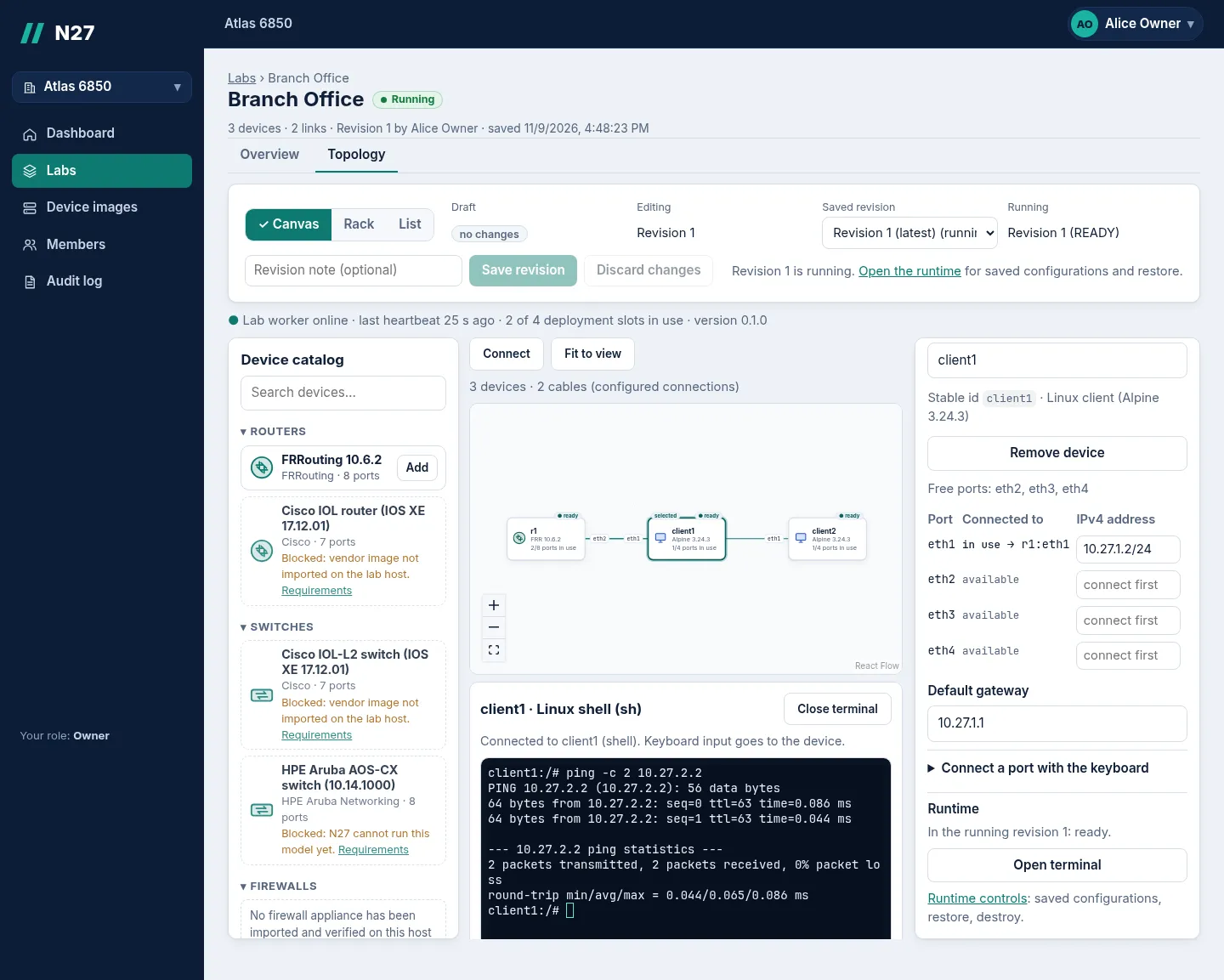
- Build the topology. Drag FRRouting routers and Linux clients from the approved catalog onto the Canvas. Set addresses, default gateways and static routes in the inspector. Each save is an immutable revision.
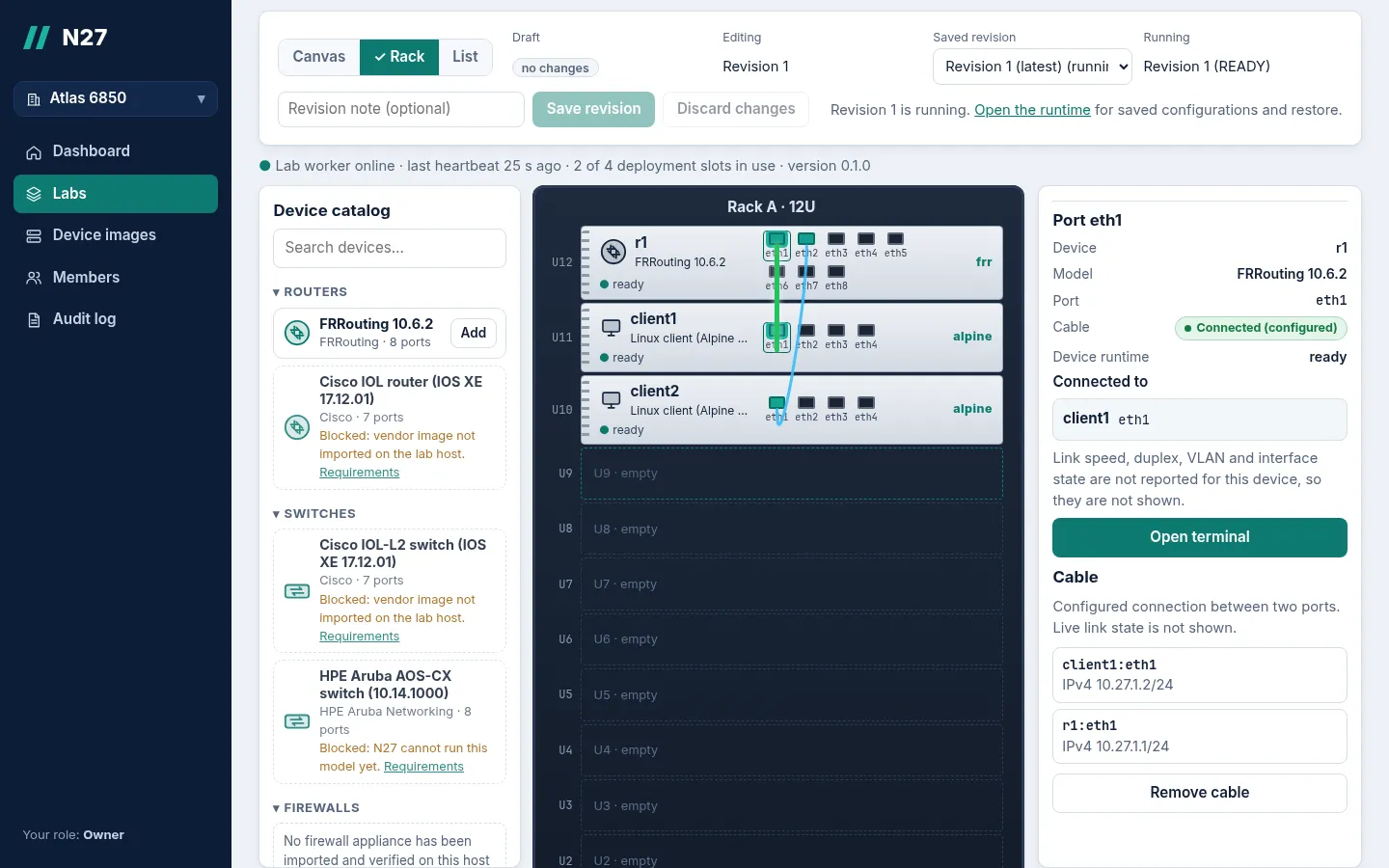
- Connect devices. Click a port, then a port on another device. The same draft is also available as a 12-unit Rack with front-panel ports and as a keyboard- and phone-friendly List.
- Deploy with Containerlab. Deploying pins a saved revision. The API records the desired state and an outbox row in one transaction, and the host worker deploys the lab and reports progress back.
- Open terminals. Routers open the FRR CLI (
vtysh) and clients open a Linux shell, next to the topology. Router configurations can be saved with checksums and restored on the next deploy.
Architecture
Backend-for-frontend: OIDC client, server-side sessions, no tokens in the browser
Organizations, roles, labs, immutable revisions, deployments, outbox
Relays browser terminals with single-use tickets
Sign-in (code flow + PKCE); permissions stay in N27
Desired state, revisions, audit log
Jobs to the worker, events back
Saved device configurations
Validated jobs only, fixed commands with argument arrays, no shell, no user YAML
Deploy, destroy, readiness checks
FRRouting, Alpine, SR Linux; cabled only to each other
The design separates a control plane, which decides what should exist and runs in Docker Compose without access to the Docker socket, from an execution plane: one worker process on the host that has the privileges Containerlab needs. The two meet at a narrow, typed message contract shared as a package (packages/contracts, Zod schemas for topology, jobs, events and terminals).
Decisions and trade-offs
Privileged work stays on the host worker
Containerlab needs root-equivalent Docker access. Giving that to a web-facing container would turn any application bug into a host compromise. The web app, API and terminal gateway never mount the Docker socket or run privileged. The worker accepts only structured, validated jobs and runs fixed commands with argument arrays, never a shell or user-supplied YAML. CI enforces the rule: the build fails if any Compose service mounts the socket or runs privileged.
Trade-off: the worker is a second deployment unit (a systemd user service) with its own diagnostics, and this boundary is not strong isolation between hostile tenants on one host.
Lab devices get no network except their cables
Every node runs with Docker network-mode: none, so there is no eth0 and no Docker network. Its only interfaces are Containerlab links to other nodes in the same lab. Consoles, readiness checks and configuration export go through docker exec. The result is isolation without editing the host’s firewall chains, checked by probes from inside lab nodes.
Trade-off: no SSH or web access to devices from outside the lab, and nodes still share the host kernel (FRR needs SYS_ADMIN).
RabbitMQ rather than Kafka, behind a transactional outbox
Lab operations are human-driven and low-volume. What matters is acknowledging a job only after it completes, redelivery and dead-lettering, which are work-queue semantics. Desired state lives in PostgreSQL; messages go out through an outbox, and consumers are idempotent by operation ID. One browser suite kills the worker 300 ms into a deploy to prove the lab still converges.
Trade-off: the broker keeps no replayable history; audit and deployment history live in PostgreSQL.
Terminals over a worker-initiated, verified TLS link
The worker connects out to the gateway, so it opens no inbound port. It trusts only a local CA created at bootstrap and keeps certificate verification on. Browsers get single-use tickets that last 60 seconds, are hashed at rest and are bound to the user, organization, deployment, node and origin. Membership is checked again every 5 seconds while a terminal is open.
Trade-off: certificate rotation is a documented manual step.
Immutable revisions and optimistic saves
Each save names the revision it started from. If someone saved in the meantime, the API returns 409 stale_revision instead of silently overwriting their work. Deployments reference an exact revision, and device catalog versions are immutable, so a topology saved today deploys the same devices later.
Trade-off: there is no automatic merge. The editor offers to keep the draft or reload.
Sign-in through a backend-for-frontend
Keycloak handles sign-in (authorization code flow with PKCE). The Next.js server is the OIDC client and keeps tokens in a server-side session, so the browser only holds an HTTP-only cookie. The API resolves organization membership and role (Owner, Admin, Operator, Viewer) on every request; organizations and permissions stay in N27’s own database.
Trade-off: sessions live in the web server’s memory, so restarting it signs everyone out.
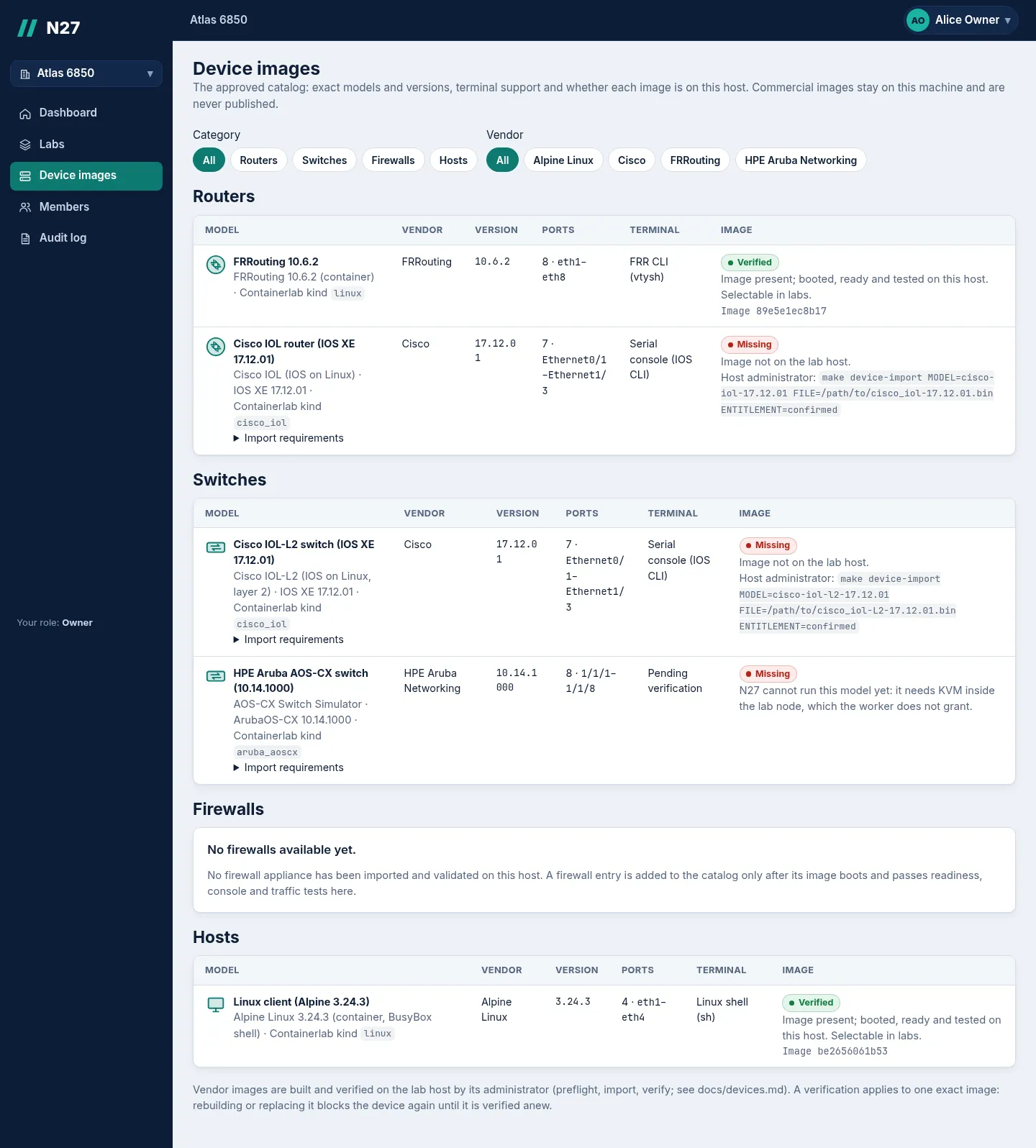
Device catalog today
| Device | Status |
|---|---|
| FRRouting 10.6.2 | Verified on the lab host |
| Alpine Linux 3.24.3 client | Verified on the lab host |
| Nokia SR Linux 26.7.2 | Verified. Runs privileged as a documented exception, flagged with a warning in the UI |
| Cisco IOL router and IOL-L2 switch (IOS XE 17.12.01) | Defined. Blocked until a licensed image is imported and verified on the host |
| HPE Aruba AOS-CX 10.14 | Defined. Cannot run yet: it needs KVM inside the lab node, which the worker does not grant |
| Firewalls | None yet. An appliance is added only after it boots and passes readiness, console and traffic tests |
Commercial images stay on the lab host and are never published.
Verification
- Local checks: format, lint, type checks and unit tests (
make check), API integration tests on a real PostgreSQL with the restricted application role, and an end-to-end smoke test of the Compose stack. - Browser suites with real devices: a release suite that also covers interrupted deploys and destroys, replayed jobs, a degraded runtime, lab isolation, Viewer access and an offline worker. Separate suites cover the Rack, the Audit log and SR Linux (18 of 18 checks).
- Backup and restore drill: restores a backup into a disposable PostgreSQL and object store, imports every artifact and loads a saved configuration onto a throwaway FRR device.
- CI workflow: the same checks plus Compose validation for the default stack and every optional profile, the no-socket/no-privileged rule, and image builds without publishing.
Status and limits
v0.1.0 is a single-host, single-worker release candidate. Not implemented yet: live link telemetry, packet capture, VM appliances, per-organization quotas, multi-worker scheduling, pushed progress (pages poll), OpenBao integration and local TLS. After a host reboot, labs come back without cables and are marked for recovery.
Screenshots
- (open larger view)
Screenshot Canvas with a live Alpine terminal next to the topology. - (open larger view)
Screenshot Rack: cable front-panel ports device to device. -
 (open larger view)
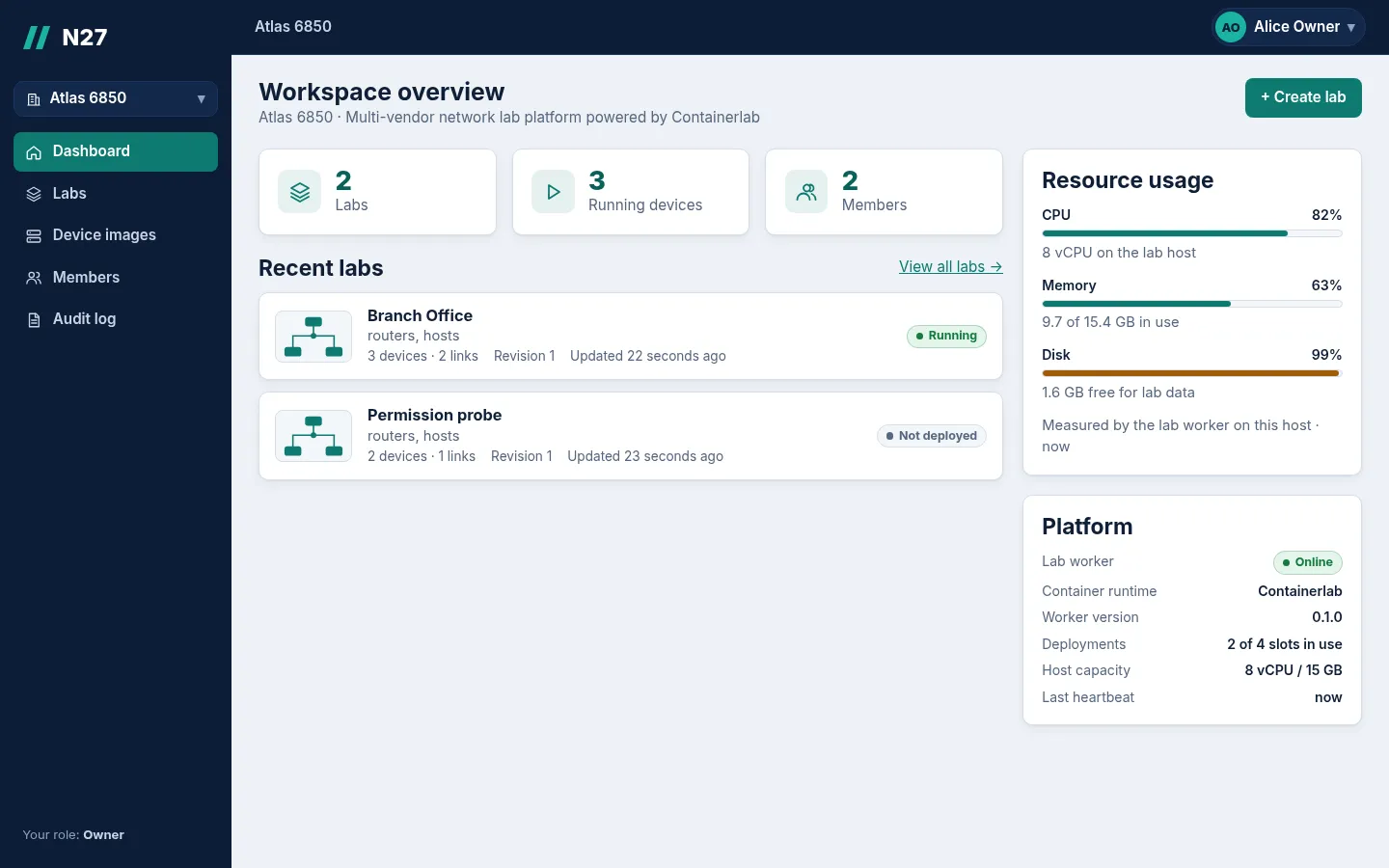
Screenshot Organization dashboard with worker heartbeat and host capacity. - (open larger view)
Screenshot Device catalog with per-image verification status. -
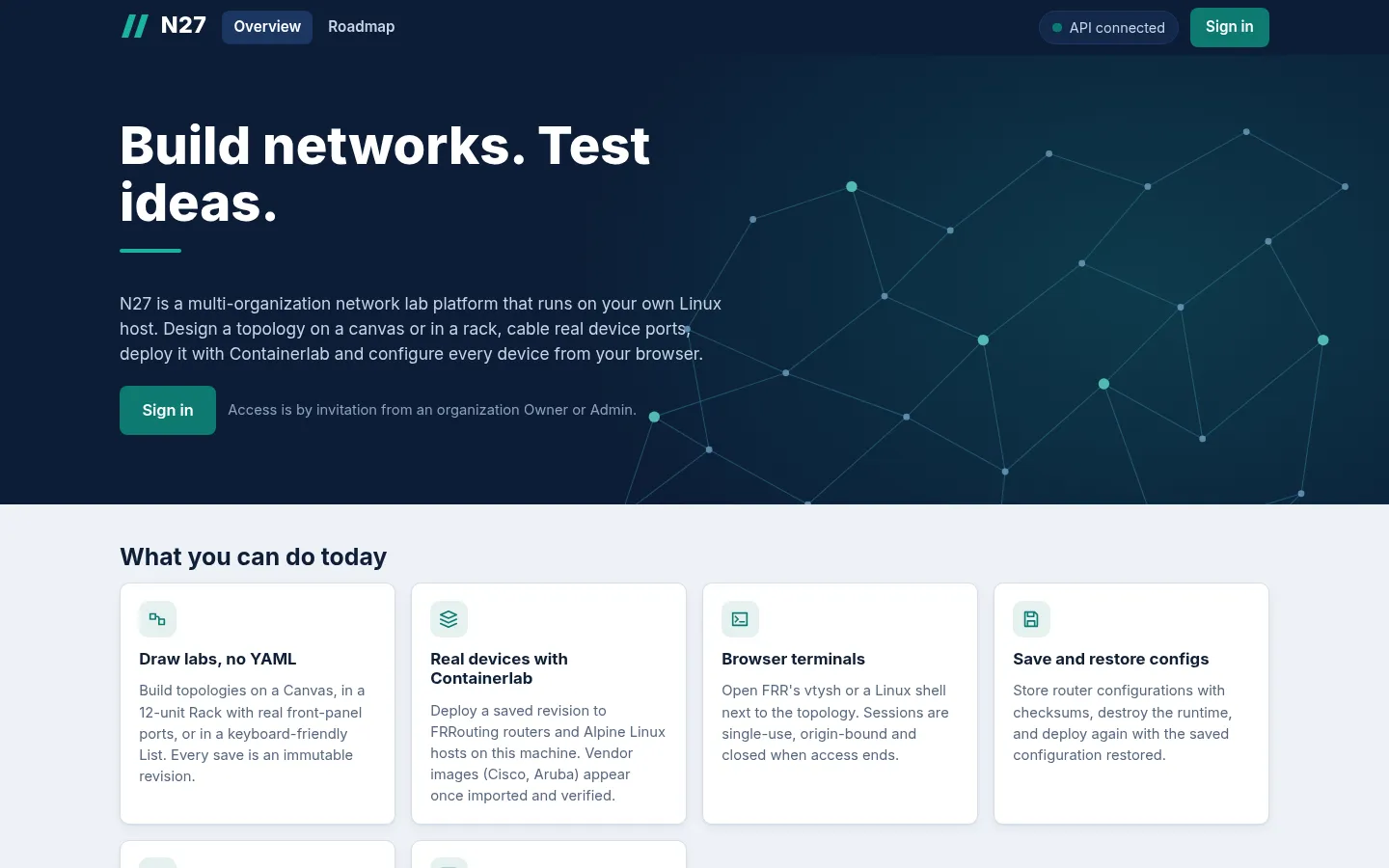 (open larger view)
Screenshot Public landing page of a local N27 install. -
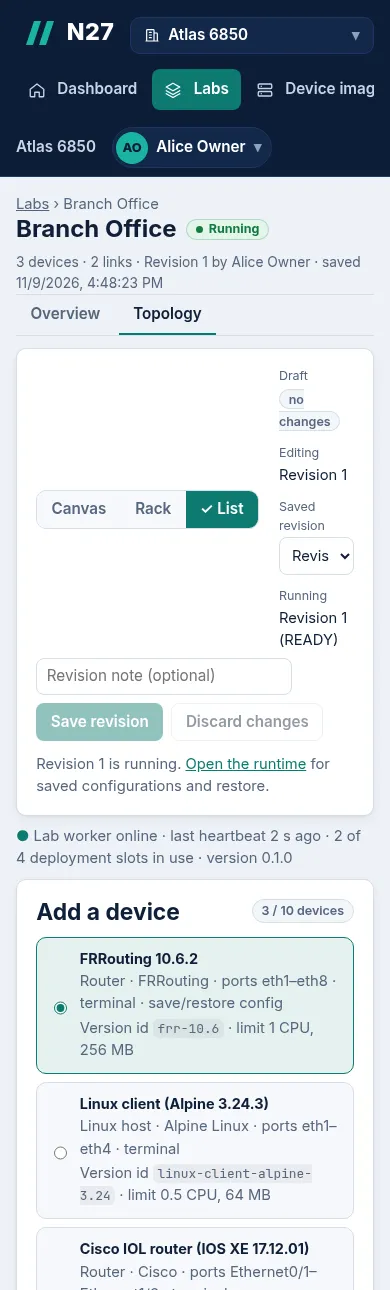 (open larger view)
Screenshot List view at phone width.